Native Tabs
Give several <window> roots the same tabGroup and they render as one tabbed window using each
platform’s real tab system. On macOS every tab is a genuine NSWindow joined into a native tab
group, so you get the Safari and Finder tab bar, dragging a tab out to its own window, dragging it
back in, and Show All Tabs. On GNOME the group renders as an AdwTabView with an autohiding
AdwTabBar under your header bar plus the AdwTabButton overview toggle, the same setup Ghostty
uses. The framework owns the tab chrome; your app owns the list of open tabs.
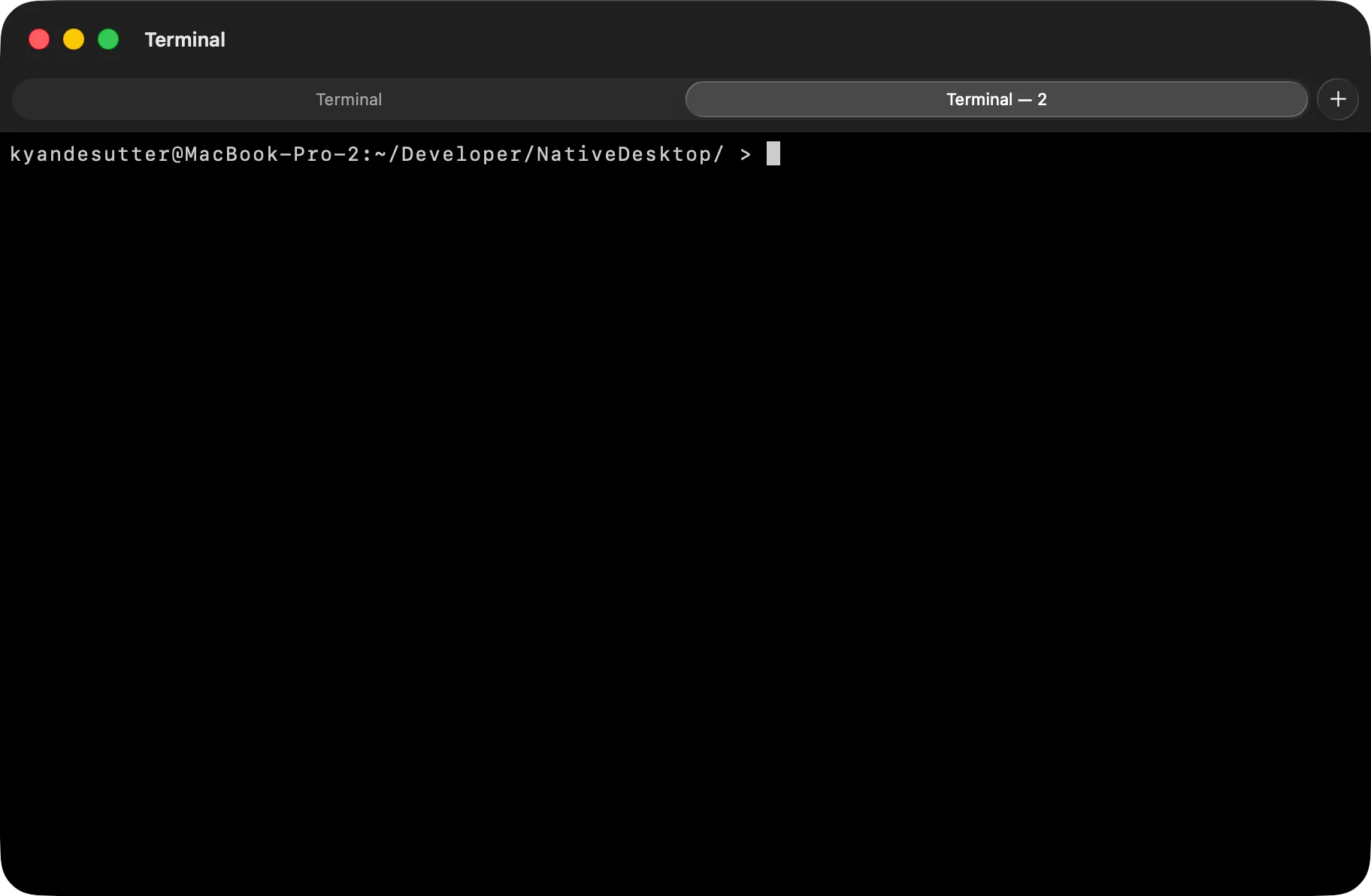
examples/browser/main.tsx and examples/terminal/main.tsx are the reference apps for this page.
Tabs are windows
Section titled “Tabs are windows”The app model is multi-window plus one prop. Each tab is a full
<window> root, and tabGroup names the group it belongs to:
import { render, useRef, useState } from "@nativedesktop/react";
function TerminalTab({ onNewTab, onClose }: { onNewTab: () => void; onClose: () => void }) {  return (    <window title="Terminal" tabGroup="terminal" onNewTabRequested={onNewTab} onClosed={onClose}>      {/* any window content: its own headerbar, its own state */}    </window>  );}
function App(): React.ReactNode {  const [tabs, setTabs] = useState<number[]>([0]);  const nextId = useRef(1);  return (    <>      {tabs.map((id) => (        <TerminalTab          key={id}          onNewTab={() => setTabs((open) => [...open, nextId.current++])}          onClose={() => setTabs((open) => open.filter((t) => t !== id))}        />      ))}    </>  );}
await render(<App />);
Because a tab is a window, everything window-scoped keeps working per tab unchanged: per-window
dialogs, toolbars, automation targeting, and the core:window.create ACL
gate (each new tab is a create Window op scoped to its own id).
Native events
Section titled “Native events”The framework owns the tab chrome, so tab lifecycle arrives as events on the <window> node:
onNewTabRequested means the user asked for a tab natively, through the tab bar’s + button. macOS
shows that button because the framework implements newWindowForTab in the responder chain, and GTK
gets a framework-injected + on the AdwTabBar. Respond by rendering one more <window tabGroup>.
The payload carries { tabGroup }.
onClosed means the user closed the tab, or the whole window. Respond by unmounting that
<window>. The framework holds the native close pending until your unmount confirms it, riding
AdwTabView’s asynchronous close-page protocol on GTK and windowShouldClose on macOS. Plain
ungrouped windows fire onClosed too, but close natively without waiting.
Unmounting a <window> from app code, with no user close involved, closes its native window or tab
the same way. The remove rides a window.close semantic action, so JS-initiated and user-initiated
closes converge on one path.
Tracking the frontmost tab
Section titled “Tracking the frontmost tab”Every <window> fires onFocused({ checked }) when it gains or loses key status. For a plain
window that is a normal focus change. For a tabGroup member it also fires when the user switches
native tabs: the outgoing tab gets checked: false, the incoming one checked: true.
Use this for app-level state that acts on whichever tab is frontmost right now rather than whichever rendered last: menu items, keyboard shortcuts, a command palette. Without it an app tracking its own selected value has no way to learn the user switched tabs natively, because that switch never touches React.
<window title="Terminal" tabGroup="terminal" onFocused={({ checked }) => { if (checked) setActiveTabId(id); }}> {/* … */}</window>The examples bind a New Tab menu item (accelerator="primary+t") to the same handler as
onNewTabRequested, which is the conventional Cmd+T/Ctrl+T affordance on both platforms.
The tab overview
Section titled “The tab overview”Both platforms have a native tab overview. On GNOME the framework wraps each group window’s content
in an AdwTabOverview and packs an AdwTabButton (with its live page-count badge) at the end of
your <headerbar>; on macOS it’s the system Show All Tabs (⇧⌘, View menu, or pinch on the tab
bar). To open it programmatically:
import { showTabOverview } from "@nativedesktop/react";
showTabOverview(winRef.current); // AdwTabOverview open on GTK, toggleTabOverview on macOS
Drag and drop
Section titled “Drag and drop”Dragging tabs out to the desktop, into another window of the same group, and reordering are native
on both backends, and none of it touches your React tree. The <window> node’s identity is stable
across drags. On macOS the tab is its NSWindow, so moving it between groups moves the live window.
On GTK the framework spawns a fresh scaffold window on create-window and AdwTabView transfers
the page widget intact. A <webview> tab keeps its session and a <terminal> tab keeps its running
shell through any drag. Empty windows left behind by a drag close themselves.
New tabs open in the group’s most recently focused window, following the platform convention.
Platform notes
Section titled “Platform notes”- The tab bar autohides with a single tab on GTK. macOS shows it once a second tab joins, or through View → Show Tab Bar.
- On GTK the tab bar slots into your
<toolbarview>below its<headerbar>, the Epiphany layout. A window without a<toolbarview>root gets a framework wrapper carrying the tab bar. Per-tab headerbars swap with the active tab, matching what macOS gets from per-window toolbars. tabGroupis create-time only. A window cannot move between groups by prop update, and groups are fully independent, so a “browser” tab never merges into a “terminal” window.- GNOME’s tab widgets require libadwaita 1.4 or newer, which the toolkit already assumes for
AdwToolbarView.