Dialogs
Four native per-window modal dialogs (a confirmation alert, an open-file panel, a save-file panel,
and the About panel) exposed as promise-returning functions over the <window> widget’s
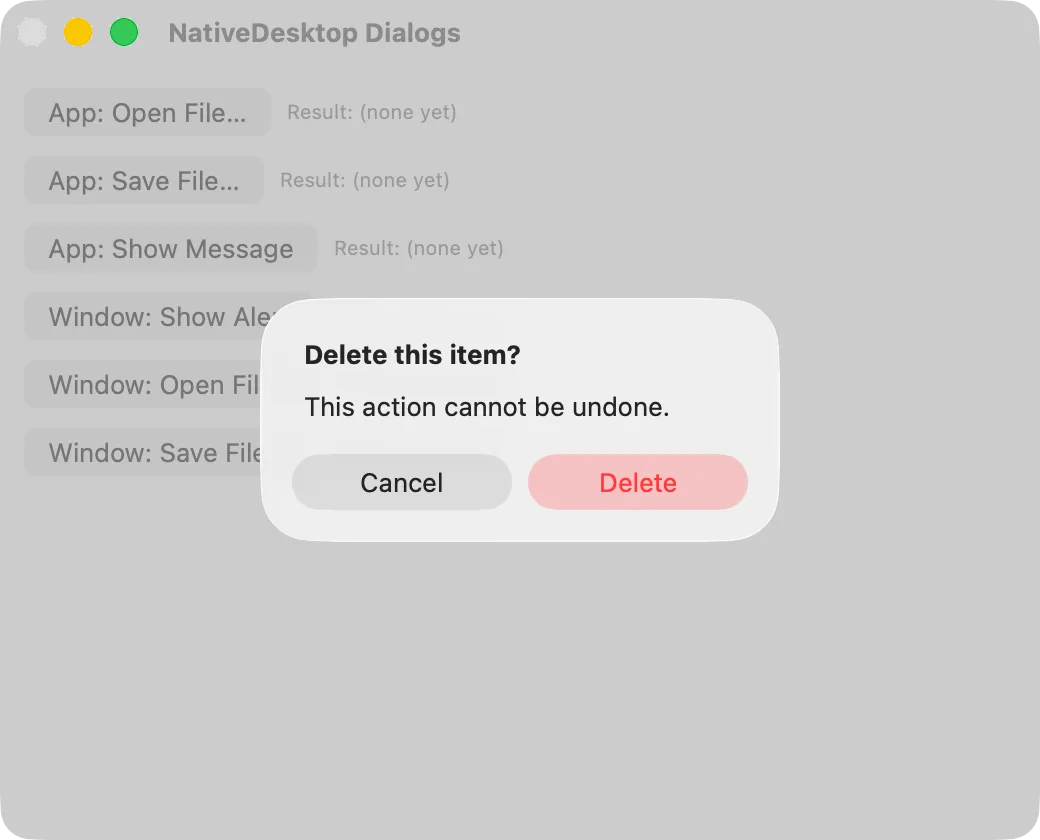
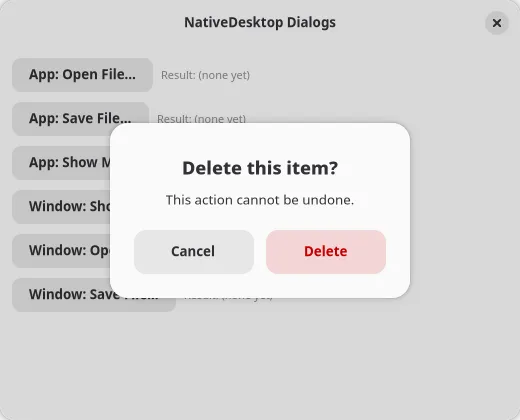
imperative commands. They render as NSAlert, NSOpenPanel,
and NSSavePanel sheets on macOS, AdwAlertDialog and GtkFileDialog on GTK.
Wiring a window for dialogs
Section titled “Wiring a window for dialogs”A modal dialog is one-per-window on both backends, so these calls correlate their result to the
<window>’s own wire id rather than a generated per-call token. The window needs a ref and three
result-event props wired back to the matching helper, once, however many places in your tree
trigger a dialog:
import {  showAlert, openFile, saveFile, showAbout,  onAlertResult, onOpenFileResult, onSaveFileResult,} from "@nativedesktop/react";import type { NdNodeRef } from "@nativedesktop/react";
function App() {  const winRef = useRef<NdNodeRef<"window">>(null);  const [result, setResult] = useState("(none yet)");
  async function handleDelete() {    if (!winRef.current) return;    const { buttonId } = await showAlert(winRef.current, {      title: "Delete this item?",      body: "This action cannot be undone.",      buttons: [        { id: "cancel", label: "Cancel" },        { id: "delete", label: "Delete", style: "destructive" },      ],    });    setResult(buttonId);  }
  return (    <window      ref={winRef}      title="My App"      onAlertResult={(e) => onAlertResult(winRef.current!, e)}      onOpenFileResult={(e) => onOpenFileResult(winRef.current!, e)}      onSaveFileResult={(e) => onSaveFileResult(winRef.current!, e)}    >      <button label="Delete…" onClick={handleDelete} />    </window>  );}
The on*Result props are not optional. Skip one and its matching call’s promise never settles,
since the result event is how the promise learns the dialog closed. showAbout has no result event
and needs no wiring.
| Function | Options | Resolves to |
|---|---|---|
showAlert(node, options) |
{ title, body?, buttons: { id, label, style? }[] } |
{ buttonId }, the clicked button’s id |
openFile(node, options?) |
{ multiple?, directories?, filters?: { name, extensions }[] } |
{ canceled, paths }, with paths: [] if canceled |
saveFile(node, options?) |
{ suggestedName?, defaultDir?, filters? } |
{ canceled, path }, with path: null if canceled |
showAbout(node, options) |
{ appName, version, developer?, website? } |
none; fire-and-forget, no promise |
style on an alert button is "default" | "suggested" | "destructive". Destructive is the red
warning treatment: NSAlertStyle.critical-adjacent styling on macOS, .destructive-action on GTK.
One dialog per window at a time
Section titled “One dialog per window at a time”showAlert, openFile, and saveFile each claim their window’s single dialog slot while pending,
because neither backend can stack two native sheets on one window. Calling a second before the
first resolves rejects immediately with an error naming the dialog still open, rather than queueing
or clobbering the first caller’s promise:
Error: <window> already has a "showAlert" dialog pending; only one modal dialog per window is allowed at a timeshowAbout has no result event to correlate, so it never claims the slot and can be called
alongside a pending showAlert, openFile, or saveFile.
See packages/react/src/dialogs.ts for the implementation and examples/gallery/main.tsx’s
Dialogs tab for all four calls wired to readouts.